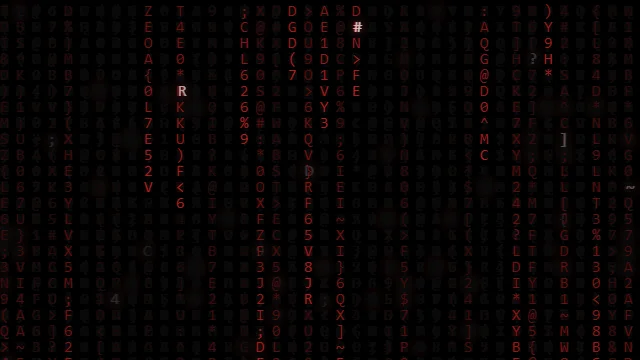
live - 60fps 1920 x 1080
<!DOCTYPE html>
<html lang="en">
<head>
    <meta charset="UTF-8">
    <meta name="viewport" content="width=device-width, initial-scale=1.0">
    <title>Animated Background - Dynamic Pixel Flow</title>
    <style>
        body {
            margin: 0;
            overflow: hidden; /* Hide scrollbars */
            background-color: #0d1117; /* Dark background */
            position: relative;
        }
        canvas {
            display: block; /* Remove extra space below canvas */
        }
    </style>
</head>
<body>
    <canvas id="matrixCanvas"></canvas>
    <script>
        const canvas = document.getElementById('matrixCanvas');
        const ctx = canvas.getContext('2d');
        let width = canvas.width = window.innerWidth;
        let height = canvas.height = window.innerHeight;
        // Characters to use (can be numbers, symbols, or even blank for a more abstract flow)
        const characters = '01'; // Binary for a tech feel, or ' ' for purely abstract
        const characterSize = 18; // Size of each "pixel"/character
        const columns = Math.floor(width / characterSize); // Number of columns
        let drops = []; // Array to store the y-position of each falling column's head
        // Initialize drops
        for (let i = 0; i < columns; i++) {
            drops[i] = Math.random() * height; // Start at a random y-position
        }
        function resizeCanvas() {
            width = canvas.width = window.innerWidth;
            height = canvas.height = window.innerHeight;
            // Recalculate columns and re-initialize drops on resize
            const newColumns = Math.floor(width / characterSize);
            const newDrops = new Array(newColumns);
            for (let i = 0; i < newColumns; i++) {
                // Try to preserve current drop position if possible, otherwise randomize
                newDrops[i] = drops[i] !== undefined ? drops[i] : Math.random() * height;
            }
            drops = newDrops;
        }
        function draw() {
            // Semi-transparent background for the "trail" effect
            ctx.fillStyle = 'rgba(13, 17, 23, 0.05)'; // Matches body background, but with transparency
            ctx.fillRect(0, 0, width, height);
            ctx.fillStyle = '#00ff41'; // Green color for the "code"
            ctx.font = `${characterSize}px monospace`; // Monospace font for uniform characters
            for (let i = 0; i < drops.length; i++) {
                const text = characters.charAt(Math.floor(Math.random() * characters.length));
                // Draw a small "pixel" or character
                ctx.fillText(text, i * characterSize, drops[i]);
                // Send the drop back to the top randomly
                if (drops[i] * characterSize > height && Math.random() > 0.975) { // 2.5% chance to reset
                    drops[i] = 0;
                }
                // Increment y-position of the drop
                drops[i] += characterSize;
            }
        }
        // Set an interval for the animation (controls speed)
        let animationInterval = setInterval(draw, 50); // 50ms = 20 frames per second
        // Event Listeners
        window.addEventListener('resize', () => {
            resizeCanvas();
            // Clear and restart animation interval on resize to apply new 'drops' array
            clearInterval(animationInterval);
            animationInterval = setInterval(draw, 50);
        });
        // Initial setup
        resizeCanvas(); // Set initial size
        draw(); // Draw once immediately
    </script>
</body>
</html>About this animation
Flowing grid of dynamic pixels.
Under the hood
Noise-Driven Canvas Pixeling
This effect relies on procedural generation (often Simplex or Perlin noise logic) to dictate the flow field of a pixel grid. It recalculates the intensity of small block coordinates on a canvas, painting them sequentially via
fillRect to create a fluid, retro-digital aesthetic.