live - 60fps 1920 x 1080
<!DOCTYPE html>
<html lang="en">
<head>
    <meta charset="UTF-8">
    <meta name="viewport" content="width=device-width, initial-scale=1.0">
    <title>Glassmorphism Orbs</title>
    <style>
        :root {
            --bg: #0f172a;
            --orb1: #38bdf8;
            --orb2: #818cf8;
            --orb3: #e879f9;
        }
        body {
            margin: 0;
            min-height: 100vh;
            background-color: var(--bg);
            background-image:
                linear-gradient(to bottom right, #0f172a, #1e1b4b);
            display: flex;
            justify-content: center;
            align-items: center;
            overflow: hidden;
            font-family: system-ui, -apple-system, sans-serif;
        }
        /* The floating blurred background elements */
        .orb-container {
            position: absolute;
            width: 100vw;
            height: 100vh;
            overflow: hidden;
            z-index: 1;
        }
        .orb {
            position: absolute;
            border-radius: 50%;
            filter: blur(80px);
            /* Heavy blur for soft glow */
            animation: float 20s infinite ease-in-out alternate;
            opacity: 0.6;
            will-change: transform, top, left;
        }
        .orb-1 {
            width: 400px;
            height: 400px;
            background: var(--orb1);
            top: -100px;
            left: -100px;
            animation-duration: 25s;
        }
        .orb-2 {
            width: 500px;
            height: 500px;
            background: var(--orb2);
            bottom: -150px;
            right: -100px;
            animation-duration: 22s;
            animation-delay: -5s;
        }
        .orb-3 {
            width: 300px;
            height: 300px;
            background: var(--orb3);
            top: 40%;
            left: 60%;
            animation-duration: 18s;
            animation-delay: -10s;
        }
        @keyframes float {
            0% {
                transform: translate(0, 0) scale(1);
            }
            33% {
                transform: translate(100px, -50px) scale(1.2);
            }
            66% {
                transform: translate(-50px, 100px) scale(0.8);
            }
            100% {
                transform: translate(50px, 50px) scale(1.1);
            }
        }
        /* The Glass Pane Overlay */
        .glass-pane {
            position: relative;
            z-index: 2;
            width: 80%;
            max-width: 800px;
            height: 60vh;
            border-radius: 20px;
            /* The Glassmorphism Magic */
            background: rgba(255, 255, 255, 0.03);
            backdrop-filter: blur(20px);
            -webkit-backdrop-filter: blur(20px);
            /* Safari support */
            /* Lighting and Borders */
            border: 1px solid rgba(255, 255, 255, 0.1);
            border-top: 1px solid rgba(255, 255, 255, 0.2);
            border-left: 1px solid rgba(255, 255, 255, 0.2);
            box-shadow:
                0 25px 50px -12px rgba(0, 0, 0, 0.5),
                inset 0 0 0 1px rgba(255, 255, 255, 0.05);
            display: flex;
            flex-direction: column;
            justify-content: center;
            align-items: center;
            color: white;
            padding: 40px;
            text-align: center;
        }
    </style>
</head>
<body>
    <!-- Soft glowing backgrounds -->
    <div class="orb-container">
        <div class="orb orb-1"></div>
        <div class="orb orb-2"></div>
        <div class="orb orb-3"></div>
    </div>
    <!-- The Glass structure that refracts the background -->
    <div class="glass-pane">
        <!-- Optional Content inside the glass -->
        <h1
            style="font-size: 3rem; margin-bottom: 10px; font-weight: 800; letter-spacing: -1px; text-shadow: 0 2px 10px rgba(0,0,0,0.2);">
            Glassmorphism</h1>
        <p style="font-size: 1.25rem; color: rgba(255,255,255,0.7); max-width: 500px; line-height: 1.5;">Notice how the
            soft orbs moving behind this panel blur and refract naturally through CSS backdrop-filters.</p>
    </div>
</body>
</html>About this animation
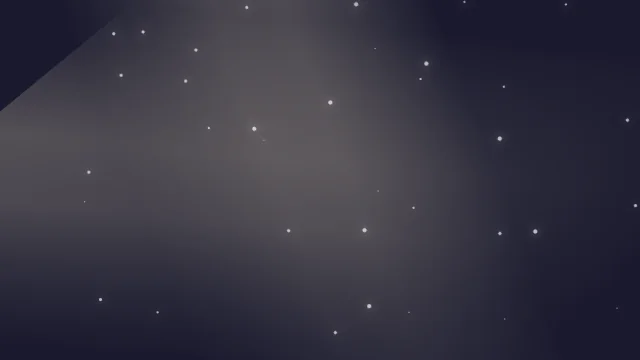
Soft gradient spheres floating slowly behind a stylized CSS glass pane utilizing backdrop-filter blurs.
Under the hood
Z-Index Backdrop Filtering
This modern UI technique layers an absolutely positioned glass pane (
z-index: 2) over floating gradient orbs (z-index: 1). The pane utilizes CSS backdrop-filter: blur(20px)—an expensive calculation handled directly by the browser's compositing engine—to refract whatever pixels actively pass behind it. Related