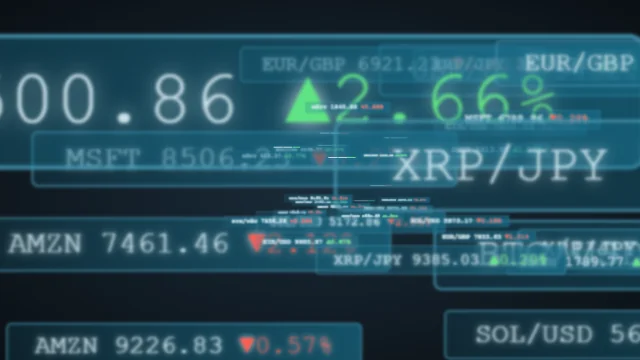
live - 60fps 1920 x 1080
<!DOCTYPE html>
<html lang="en">
<head>
  <meta charset="UTF-8" />
  <title>Long Shadow</title>
  <style>
    html {
      height: 100%;
    }
    body {
      margin: 0;
      padding: 0;
      height: 100%;
      overflow: hidden;
      cursor: none;
    }
    #canvas {
      background-color: #2c343f;
      width: 100%;
      height: 100%;
    }
  </style>
</head>
<body>
  <canvas id="canvas"></canvas>
  <script>
    var c = document.getElementById("canvas");
    var ctx = c.getContext("2d");
    function resize() {
      var box = c.getBoundingClientRect();
      c.width = box.width;
      c.height = box.height;
    }
    var light = {
      x: 160,
      y: 200,
    };
    var colors = ["#f5c156", "#e6616b", "#5cd3ad"];
    function drawLight() {
      ctx.beginPath();
      ctx.arc(light.x, light.y, 1000, 0, 2 * Math.PI);
      var gradient = ctx.createRadialGradient(
        light.x,
        light.y,
        0,
        light.x,
        light.y,
        1000
      );
      gradient.addColorStop(0, "#3b4654");
      gradient.addColorStop(1, "#2c343f");
      ctx.fillStyle = gradient;
      ctx.fill();
      ctx.beginPath();
      ctx.arc(light.x, light.y, 20, 0, 2 * Math.PI);
      gradient = ctx.createRadialGradient(
        light.x,
        light.y,
        0,
        light.x,
        light.y,
        5
      );
      gradient.addColorStop(0, "#fff");
      gradient.addColorStop(1, "#3b4654");
      ctx.fillStyle = gradient;
      ctx.fill();
    }
    function Box() {
      this.half_size = Math.floor(Math.random() * 50 + 1);
      this.x = Math.floor(Math.random() * c.width + 1);
      this.y = Math.floor(Math.random() * c.height + 1);
      this.r = Math.random() * Math.PI;
      this.shadow_length = 2000;
      this.color = colors[Math.floor(Math.random() * colors.length)];
      this.getDots = function () {
        var full = (Math.PI * 2) / 4;
        var p1 = {
          x: this.x + this.half_size * Math.sin(this.r),
          y: this.y + this.half_size * Math.cos(this.r),
        };
        var p2 = {
          x: this.x + this.half_size * Math.sin(this.r + full),
          y: this.y + this.half_size * Math.cos(this.r + full),
        };
        var p3 = {
          x: this.x + this.half_size * Math.sin(this.r + full * 2),
          y: this.y + this.half_size * Math.cos(this.r + full * 2),
        };
        var p4 = {
          x: this.x + this.half_size * Math.sin(this.r + full * 3),
          y: this.y + this.half_size * Math.cos(this.r + full * 3),
        };
        return { p1: p1, p2: p2, p3: p3, p4: p4 };
      };
      this.rotate = function () {
        var speed = (60 - this.half_size) / 20;
        this.r += speed * 0.002;
        this.x += speed;
        this.y += speed;
      };
      this.draw = function () {
        var dots = this.getDots();
        ctx.beginPath();
        ctx.moveTo(dots.p1.x, dots.p1.y);
        ctx.lineTo(dots.p2.x, dots.p2.y);
        ctx.lineTo(dots.p3.x, dots.p3.y);
        ctx.lineTo(dots.p4.x, dots.p4.y);
        ctx.fillStyle = this.color;
        ctx.fill();
        if (this.y - this.half_size > c.height) {
          this.y -= c.height + 100;
        }
        if (this.x - this.half_size > c.width) {
          this.x -= c.width + 100;
        }
      };
      this.drawShadow = function () {
        var dots = this.getDots();
        var angles = [];
        var points = [];
        for (var dot in dots) {
          var angle = Math.atan2(
            light.y - dots[dot].y,
            light.x - dots[dot].x
          );
          var endX =
            dots[dot].x + this.shadow_length * Math.sin(-angle - Math.PI / 2);
          var endY =
            dots[dot].y + this.shadow_length * Math.cos(-angle - Math.PI / 2);
          angles.push(angle);
          points.push({
            endX: endX,
            endY: endY,
            startX: dots[dot].x,
            startY: dots[dot].y,
          });
        }
        for (var i = points.length - 1; i >= 0; i--) {
          var n = i == 3 ? 0 : i + 1;
          ctx.beginPath();
          ctx.moveTo(points[i].startX, points[i].startY);
          ctx.lineTo(points[n].startX, points[n].startY);
          ctx.lineTo(points[n].endX, points[n].endY);
          ctx.lineTo(points[i].endX, points[i].endY);
          ctx.fillStyle = "#2c343f";
          ctx.fill();
        }
      };
    }
    var boxes = [];
    function draw() {
      ctx.clearRect(0, 0, c.width, c.height);
      drawLight();
      for (var i = 0; i < boxes.length; i++) {
        boxes[i].rotate();
        boxes[i].drawShadow();
      }
      for (var i = 0; i < boxes.length; i++) {
        collisionDetection(i);
        boxes[i].draw();
      }
      requestAnimationFrame(draw);
    }
    resize();
    draw();
    while (boxes.length < 14) {
      boxes.push(new Box());
    }
    window.onresize = resize;
    c.onmousemove = function (e) {
      light.x = e.offsetX === undefined ? e.layerX : e.offsetX;
      light.y = e.offsetY === undefined ? e.layerY : e.offsetY;
    };
    function collisionDetection(b) {
      for (var i = boxes.length - 1; i >= 0; i--) {
        if (i != b) {
          var dx =
            boxes[b].x + boxes[b].half_size -
            (boxes[i].x + boxes[i].half_size);
          var dy =
            boxes[b].y + boxes[b].half_size -
            (boxes[i].y + boxes[i].half_size);
          var d = Math.sqrt(dx * dx + dy * dy);
          if (d < boxes[b].half_size + boxes[i].half_size) {
            boxes[b].half_size = boxes[b].half_size > 1 ? boxes[b].half_size - 1 : 1;
            boxes[i].half_size = boxes[i].half_size > 1 ? boxes[i].half_size - 1 : 1;
          }
        }
      }
    }
  </script>
</body>
</html>About this animation
Dynamic long shadow effect generator for icons.
Under the hood
Dynamic Layered Text Shadows
This typography effect relies on sequentially stacking dozens of CSS
text-shadow properties offset by 1 pixel each. A CSS animation seamlessly alters the angle of the offsets to rotate the shadow in a full 360-degree circle. Related