<!DOCTYPE html>
<html>
<head>
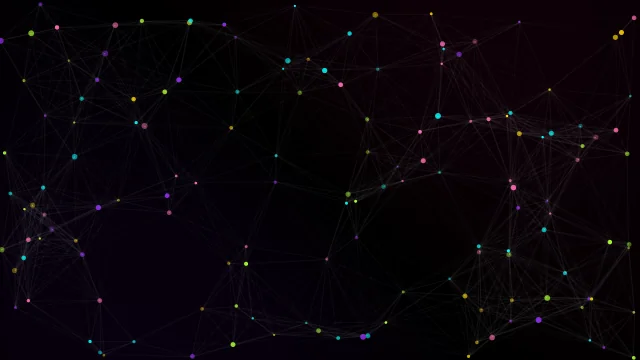
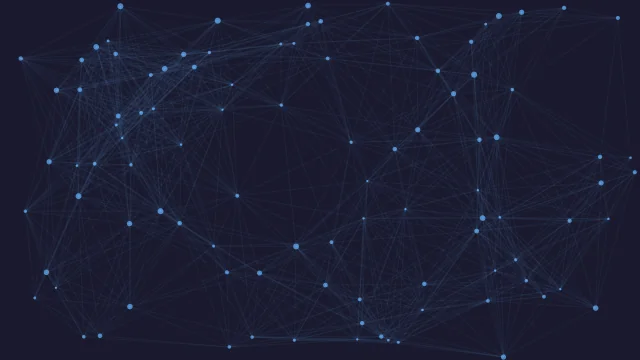
<title>Abstract Particle System</title>
<style>
    body {
        margin: 0;
        background-color: #000;
        overflow: hidden;
    }
    canvas {
        display: block;
    }
</style>
</head>
<body>
<canvas id="particleCanvas"></canvas>
<script>
    const canvas = document.getElementById('particleCanvas');
    const ctx = canvas.getContext('2d');
    canvas.width = window.innerWidth;
    canvas.height = window.innerHeight;

    let particlesArray;

    // get mouse position
    const mouse = {
        x: null,
        y: null,
        radius: (canvas.height/80) * (canvas.width/80)
    }

    window.addEventListener('mousemove',
        function(event){
            mouse.x = event.x;
            mouse.y = event.y;
        }
    );

    // create particle
    class Particle {
        constructor(x, y, directionX, directionY, size, color){
            this.x = x;
            this.y = y;
            this.directionX = directionX;
            this.directionY = directionY;
            this.size = size;
            this.color = color;
        }
        // method to draw individual particle
        draw() {
            ctx.beginPath();
            ctx.arc(this.x, this.y, this.size, 0, Math.PI * 2, false);
            ctx.fillStyle = '#FFFFFF';
            ctx.fill();
        }
        // check particle position, check mouse position, move the particle, draw the particle
        update() {
            // check if particle is still within canvas
            if (this.x > canvas.width || this.x < 0){
                this.directionX = -this.directionX;
            }
            if (this.y > canvas.height || this.y < 0){
                this.directionY = -this.directionY;
            }

            // move particle
            this.x += this.directionX;
            this.y += this.directionY;
            // draw particle
            this.draw();
        }
    }

    // create particle array
    function init() {
        particlesArray = [];
        let numberOfParticles = (canvas.height * canvas.width) / 9000;
        for (let i = 0; i < numberOfParticles; i++){
            let size = (Math.random() * 2) + 1;
            let x = (Math.random() * ((innerWidth - size * 2) - (size * 2)) + size * 2);
            let y = (Math.random() * ((innerHeight - size * 2) - (size * 2)) + size * 2);
            let directionX = (Math.random() * 1) - 0.5;
            let directionY = (Math.random() * 1) - 0.5;
            let color = '#FFFFFF';

            particlesArray.push(new Particle(x, y, directionX, directionY, size, color));
        }
    }

    // animation loop
    function animate() {
        requestAnimationFrame(animate);
        ctx.clearRect(0,0,innerWidth, innerHeight);

        for (let i = 0; i < particlesArray.length; i++){
            particlesArray[i].update();
        }
        connect();
    }

    // check if particles are close enough to draw line between them
    function connect(){
        let opacityValue = 1;
        for (let a = 0; a < particlesArray.length; a++){
            for (let b = a; b < particlesArray.length; b++){
                let distance = (( particlesArray[a].x - particlesArray[b].x) * (particlesArray[a].x - particlesArray[b].x))
                + ((particlesArray[a].y - particlesArray[b].y) * (particlesArray[a].y - particlesArray[b].y));
                if (distance < (canvas.width/7) * (canvas.height/7)){
                    opacityValue = 1 - (distance/20000);
                    ctx.strokeStyle = 'rgba(255,255,255,' + opacityValue + ')';
                    ctx.lineWidth = 1;
                    ctx.beginPath();
                    ctx.moveTo(particlesArray[a].x, particlesArray[a].y);
                    ctx.lineTo(particlesArray[b].x, particlesArray[b].y);
                    ctx.stroke();
                }
            }
        }
    }

    // resize event
    window.addEventListener('resize',
        function(){
            canvas.width = innerWidth;
            canvas.height = innerHeight;
            mouse.radius = ((canvas.height/80) * (canvas.height/80));
            init();
        }
    );

    // mouse out event
    window.addEventListener('mouseout',
        function(){
            mouse.x = undefined;
            mouse.y = undefined;
        }
    )

    init();
    animate();
</script>
</body>
</html>
<canvas id="particleCanvas"></canvas>
body {
        margin: 0;
        background-color: #000;
        overflow: hidden;
    }
    canvas {
        display: block;
    }
const canvas = document.getElementById('particleCanvas');
    const ctx = canvas.getContext('2d');
    canvas.width = window.innerWidth;
    canvas.height = window.innerHeight;

    let particlesArray;

    // get mouse position
    const mouse = {
        x: null,
        y: null,
        radius: (canvas.height/80) * (canvas.width/80)
    }

    window.addEventListener('mousemove',
        function(event){
            mouse.x = event.x;
            mouse.y = event.y;
        }
    );

    // create particle
    class Particle {
        constructor(x, y, directionX, directionY, size, color){
            this.x = x;
            this.y = y;
            this.directionX = directionX;
            this.directionY = directionY;
            this.size = size;
            this.color = color;
        }
        // method to draw individual particle
        draw() {
            ctx.beginPath();
            ctx.arc(this.x, this.y, this.size, 0, Math.PI * 2, false);
            ctx.fillStyle = '#FFFFFF';
            ctx.fill();
        }
        // check particle position, check mouse position, move the particle, draw the particle
        update() {
            // check if particle is still within canvas
            if (this.x > canvas.width || this.x < 0){
                this.directionX = -this.directionX;
            }
            if (this.y > canvas.height || this.y < 0){
                this.directionY = -this.directionY;
            }

            // move particle
            this.x += this.directionX;
            this.y += this.directionY;
            // draw particle
            this.draw();
        }
    }

    // create particle array
    function init() {
        particlesArray = [];
        let numberOfParticles = (canvas.height * canvas.width) / 9000;
        for (let i = 0; i < numberOfParticles; i++){
            let size = (Math.random() * 2) + 1;
            let x = (Math.random() * ((innerWidth - size * 2) - (size * 2)) + size * 2);
            let y = (Math.random() * ((innerHeight - size * 2) - (size * 2)) + size * 2);
            let directionX = (Math.random() * 1) - 0.5;
            let directionY = (Math.random() * 1) - 0.5;
            let color = '#FFFFFF';

            particlesArray.push(new Particle(x, y, directionX, directionY, size, color));
        }
    }

    // animation loop
    function animate() {
        requestAnimationFrame(animate);
        ctx.clearRect(0,0,innerWidth, innerHeight);

        for (let i = 0; i < particlesArray.length; i++){
            particlesArray[i].update();
        }
        connect();
    }

    // check if particles are close enough to draw line between them
    function connect(){
        let opacityValue = 1;
        for (let a = 0; a < particlesArray.length; a++){
            for (let b = a; b < particlesArray.length; b++){
                let distance = (( particlesArray[a].x - particlesArray[b].x) * (particlesArray[a].x - particlesArray[b].x))
                + ((particlesArray[a].y - particlesArray[b].y) * (particlesArray[a].y - particlesArray[b].y));
                if (distance < (canvas.width/7) * (canvas.height/7)){
                    opacityValue = 1 - (distance/20000);
                    ctx.strokeStyle = 'rgba(255,255,255,' + opacityValue + ')';
                    ctx.lineWidth = 1;
                    ctx.beginPath();
                    ctx.moveTo(particlesArray[a].x, particlesArray[a].y);
                    ctx.lineTo(particlesArray[b].x, particlesArray[b].y);
                    ctx.stroke();
                }
            }
        }
    }

    // resize event
    window.addEventListener('resize',
        function(){
            canvas.width = innerWidth;
            canvas.height = innerHeight;
            mouse.radius = ((canvas.height/80) * (canvas.height/80));
            init();
        }
    );

    // mouse out event
    window.addEventListener('mouseout',
        function(){
            mouse.x = undefined;
            mouse.y = undefined;
        }
    )

    init();
    animate();