
Text & Typography

Text animations & kinetic typography

4 animations
Kinetic typography Text reveals SVG text effects Typewriter effects Scroll-triggered
Category:
Technology:
Performance:
1-4 of 4
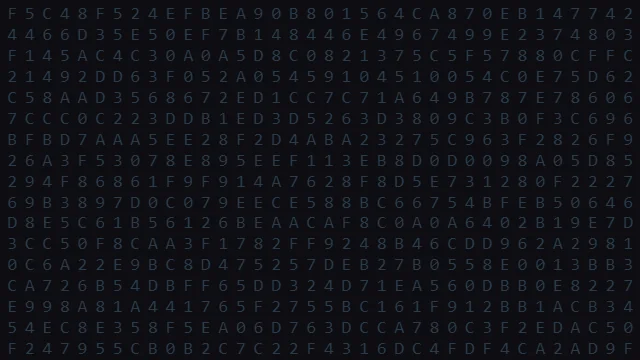
Hex Code Wave preview
css
lightweight
View Page

Hex Code Wave

Cascading waves of hexadecimal codes.

Text & Typography #matrix #hex
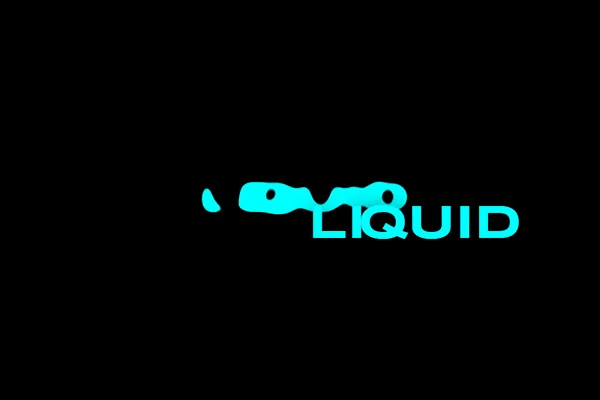
Liquid Metal Text morph preview
svg
lightweight
View Page

Liquid Metal Text morph

An intense visual text effect utilizing complex SVG feColorMatrix and feGaussianBlur filters to simulate liquid chrome.

Text & Typography #text #typography
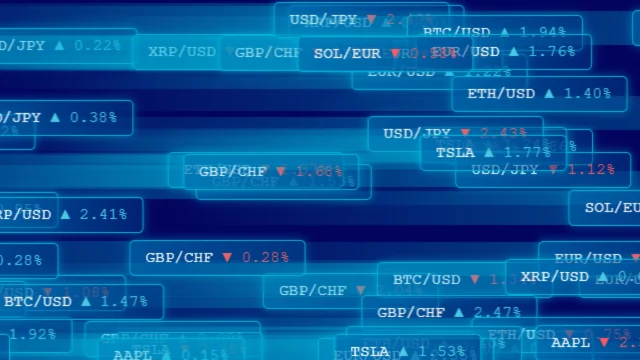
Financial Stream preview
css
lightweight
View Page

Financial Stream

Streaming financial tickers and data.

Text & Typography #financial #data
Kinetic Swarm preview
canvas
heavy
View Page

Kinetic Swarm

Letters swarming and forming shapes.

Text & Typography #kinetic typography #text

Browse Other Categories

<svg xmlns="http://www.w3.org/2000/svg" width="24" height="24" viewBox="0 0 24 24" fill="none" stroke="currentColor" stroke-width="2" stroke-linecap="round" stroke-linejoin="round"><path d="M21 16V8a2 2 0 0 0-1-1.73l-7-4a2 2 0 0 0-2 0l-7 4A2 2 0 0 0 3 8v8a2 2 0 0 0 1 1.73l7 4a2 2 0 0 0 2 0l7-4A2 2 0 0 0 21 16z"></path><polyline points="3.27 6.96 12 12.01 20.73 6.96"></polyline><line x1="12" y1="22.08" x2="12" y2="12"></line></svg>

3D & WebGL

4 animations

<svg xmlns="http://www.w3.org/2000/svg" width="24" height="24" viewBox="0 0 24 24" fill="none" stroke="currentColor" stroke-width="2" stroke-linecap="round" stroke-linejoin="round"><rect x="3" y="3" width="18" height="18" rx="2" ry="2"></rect><circle cx="8.5" cy="8.5" r="1.5"></circle><polyline points="21 15 16 10 5 21"></polyline></svg>

Backgrounds

12 animations

<svg xmlns="http://www.w3.org/2000/svg" width="24" height="24" viewBox="0 0 24 24" fill="none" stroke="currentColor" stroke-width="2" stroke-linecap="round" stroke-linejoin="round"><polygon points="12 2 15.09 8.26 22 9.27 17 14.14 18.18 21.02 12 17.77 5.82 21.02 7 14.14 2 9.27 8.91 8.26 12 2"></polygon></svg>

Celebration

8 animations

<svg xmlns="http://www.w3.org/2000/svg" width="24" height="24" viewBox="0 0 24 24" fill="none" stroke="currentColor" stroke-width="2" stroke-linecap="round" stroke-linejoin="round"><path d="M11 4H4a2 2 0 0 0-2 2v14a2 2 0 0 0 2 2h14a2 2 0 0 0 2-2v-7"></path><path d="M18.5 2.5a2.121 2.121 0 0 1 3 3L12 15l-4 1 1-4 9.5-9.5z"></path></svg>

Interactive

5 animations

<svg xmlns="http://www.w3.org/2000/svg" width="24" height="24" viewBox="0 0 24 24" fill="none" stroke="currentColor" stroke-width="2" stroke-linecap="round" stroke-linejoin="round"><path d="M12 3v1m0 16v1m9-9h-1M4 12H3m15.364 6.364l-.707-.707M6.343 6.343l-.707-.707m12.728 0l-.707.707M6.343 17.657l-.707.707M16 12a4 4 0 11-8 0 4 4 0 018 0z"></path></svg>

Particles & Systems

11 animations

<svg xmlns="http://www.w3.org/2000/svg" width="24" height="24" viewBox="0 0 24 24" fill="none" stroke="currentColor" stroke-width="2" stroke-linecap="round" stroke-linejoin="round"><rect x="2" y="4" width="20" height="12" rx="2" ry="2"></rect><path d="M12 16v4"></path><path d="M8 20h8"></path></svg>

Retro & Cyberpunk

10 animations

<svg xmlns="http://www.w3.org/2000/svg" width="24" height="24" viewBox="0 0 24 24" fill="none" stroke="currentColor" stroke-width="2" stroke-linecap="round" stroke-linejoin="round"><polyline points="4 7 4 4 20 4 20 7"></polyline><line x1="9" y1="20" x2="15" y2="20"></line><line x1="12" y1="4" x2="12" y2="20"></line></svg>

Text & Typography

4 animations

Quick Start Guides

Get started with HTMLHub animations in minutes.

šŸ”

Find the Perfect Animation

  1. 1 Use the category filters above to narrow by type (3D, Particles, Text, etc.)
  2. 2 Filter by technology if you need pure CSS vs Canvas vs WebGL
  3. 3 Check the performance rating — lightweight is best for mobile
  4. 4 Click any card to see a live preview and source code
šŸ“‹

Use an Animation on Your Website

  1. 1 Click on an animation to open its detail page
  2. 2 Preview the effect in the live viewer
  3. 3 Click Download HTML to get the complete, standalone file
  4. 4 Copy the CSS and JS code into your project — each animation is self-contained
🧪

Test Performance Before You Ship

  1. 1 Open Chrome DevTools → Performance tab
  2. 2 Record while the animation runs for 5 seconds
  3. 3 Check that FPS stays above 50fps
  4. 4 If it drops, try a lightweight rated alternative

Source Code
Source Copied!
Loved this effect? Host your deployment globally for free on our partner networks:
Vercel Netlify Hostinger